
The Apple Mail signature that doesn’t disappear.
macOS updates and iCloud sync keep erasing Mail signatures — Autograph puts yours back automatically. Design it on your Mac, install it in one click, and own it outright: no subscription, and your images keep loading long after you stop paying.
Apple Mail makes a custom signature genuinely painful.
You copy-paste HTML into a settings pane, hope it sticks, and cross your fingers that it survives the trip to someone else's inbox. Usually it doesn't.
Manual, fiddly setup
Pasting raw HTML into Apple Mail's settings is finicky, undocumented, and easy to break.
Images that break
Your logo and photo arrive as broken attachments in Outlook and Gmail — not the signature you designed.
Designing blind
Mail gives you a tiny settings box and no preview — you send yourself test after test and hope.
of people think worse of you when your email lacks a professional signature
feel more confident dealing with you when it's professionally branded
are more inclined to reply to an email with a polished signature
Autograph fixes all of it.
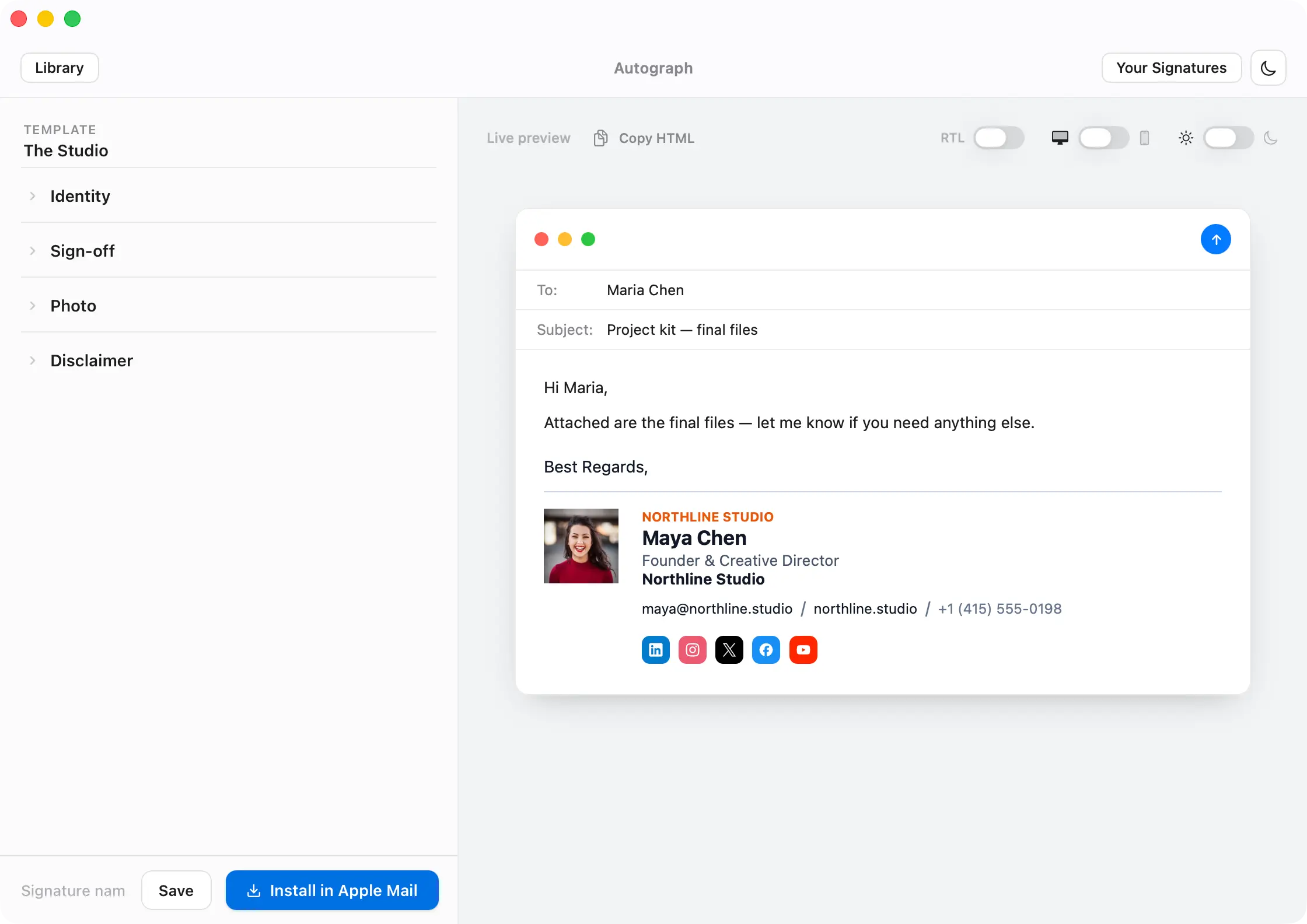
Install into Apple Mail. Literally one click.
Autograph writes the finished signature directly into Apple Mail for you — no HTML, no copy-pasting, no settings spelunking. iCloud keeps it in sync across your Macs — and Set up iPhone puts it on your iPhone and iPad: scan a QR code, paste, done.
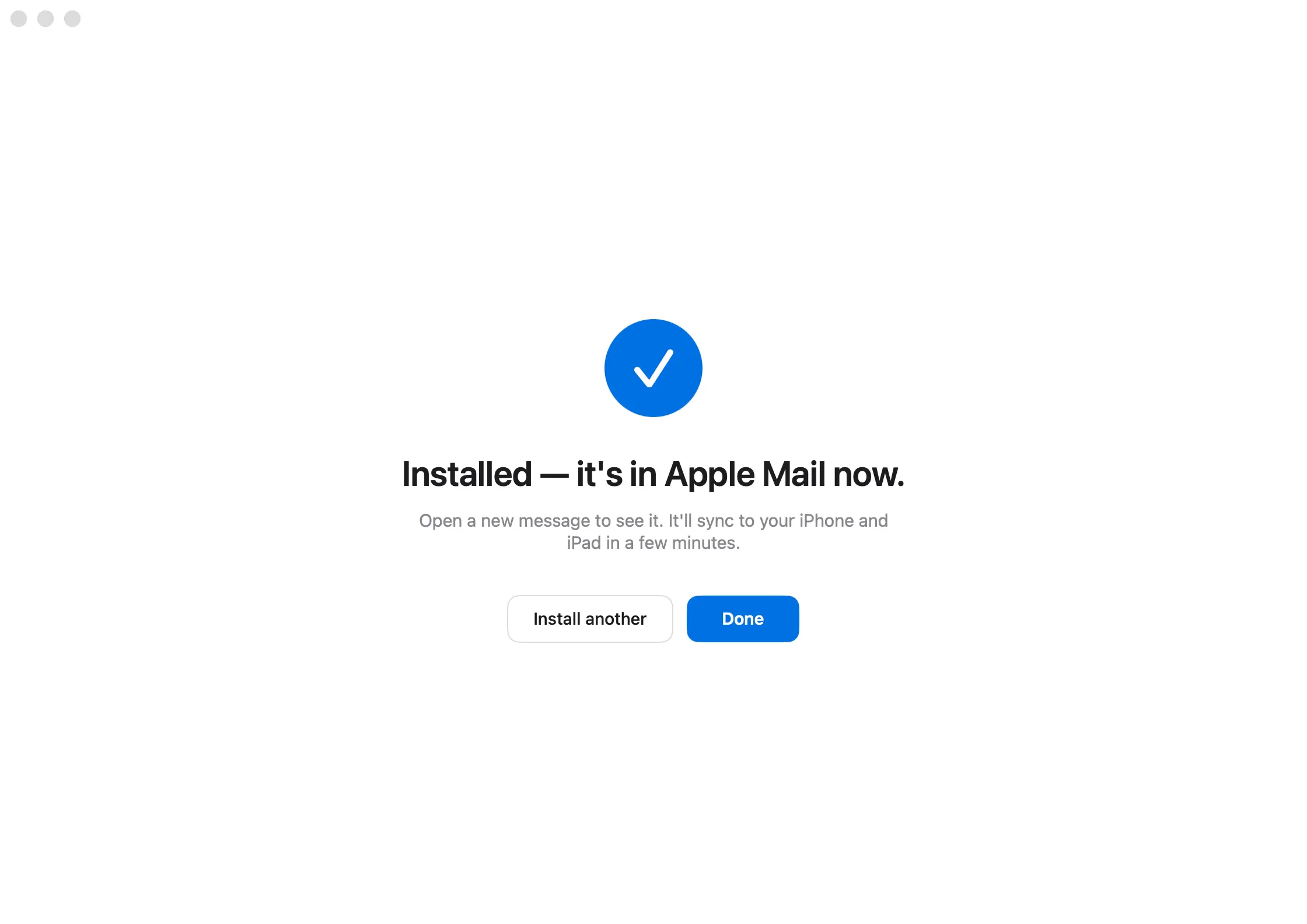
Every other tool ends in copy-paste.
Web generators make you paste HTML into Mail and hope. Even other Mac apps stop at the clipboard. Autograph installs the signature and assigns it to the right account — automatically.
Built for Apple Mail. Not bolted on.
The big signature platforms are built for Outlook and Microsoft 365 — Apple Mail is an afterthought. Autograph is the opposite: designed around how Apple Mail actually stores, syncs, and renders signatures.
No account. No cloud. No hostage.
Web tools keep your signature on their servers — stop paying and it's gone. Autograph runs entirely on your Mac: no login, nothing to cancel, and your signature is yours for good.
A starting point for every profession.
Professionally designed templates — with photo, logo, banner, minimal, elegant, right-to-left, and more. Pick one and make it yours.
Make it unmistakably yours.
Control every detail — down to the font on a single line — so the signature reads exactly the way you want it to.
Your photo
Add a crisp headshot that renders sharp in every inbox — not a broken attachment.
Company logo
Drop in your brand logo at the right size and let it sit perfectly beside your details.
Promo banners
Add a banner with a clickable link — announce a launch, a booking page, or your latest offer.
3,000+ social icons
Link out to every network — in your own colors and shapes, so they match your brand.
Per-field fonts & colors
Style every line independently — name, title, links — with the exact font, size, and color you want.
Multiple contacts
Add several emails, phone numbers, and addresses — arranged cleanly, however you need them.
Looks perfect in every inbox.
Autograph builds signatures with email-safe, hosted images — so your photo and logo render the way you designed them, not as broken attachments. Apple Mail, Gmail, Outlook: it just looks right.


Same email. Two signatures.
A DIY signature and an Autograph one, side by side in the same inbox. One of these is the first impression you’re sending right now.
The final logo pack and brand board are attached — all exported in the formats we talked through. Have a look when you get a chance, and just reply here if anything needs another pass before you go live.
 Mara Feldman
Founder & Creative Director
Northlight Studio
mara@northlight.studio
+1 (415) 555-0142
northlight.studio
San Francisco, CA
The final logo pack and brand board are attached — all exported in the formats we talked through. Have a look when you get a chance, and just reply here if anything needs another pass before you go live.

They stopped thinking about their signature.
“Before Autograph, my email signature looked different on every device. I use Apple Mail all day with buyers, sellers, lenders, and inspectors, so that small inconsistency bothered me. Now my signature looks polished — photo, phone number, website, and calendar link — and I don't have to think about it anymore.”
“Autograph helped me turn a basic email footer into something that actually feels like part of my brand. I use it for client proposals, follow-ups, and partnership emails. It makes my emails look more intentional without making them feel overdesigned.”
“I needed clean signatures for myself and two team members, but I didn't want to hire a designer or mess with HTML. We created matching signatures in one afternoon, added our social links, and installed them in Apple Mail without any formatting issues. It made our small studio look much more established.”
“The biggest improvement for me was speed. I send a lot of cold outreach and follow-ups, and a professional signature with my headshot, title, website, and booking link gives every message more credibility. It's a small detail, but it makes the whole email feel more trustworthy.”
“I use Autograph because I wanted a signature that looked professional but still personal. Clients can quickly find my website, LinkedIn, and booking link, and I don't have to paste extra information into every email. It cleaned up my workflow and made my emails look more consistent.”

I built Autograph because making a good signature in Apple Mail is genuinely painful — pasting fragile HTML, images that arrive broken, redoing the whole thing on every new Mac. I didn't want a subscription, an account, or a web app that holds your signature hostage. Just a small Mac app that designs a signature that looks like you and installs it in one click. If it saves you that hassle, that's all I hoped for.
Own it. No annual ransom.
Most signature tools charge $100 or more every single year — over $300 across three years, for a signature you change maybe twice. Autograph is $59, once. Buy it, keep it forever.
One purchase. Yours forever.
Autograph Pro — 3 Macs$79 once → Five or more Macs?
Team packs — one purchase for everyonefrom $199 →
What you get free — and what Pro adds
Installing into Apple Mail is never locked. Use it free for as long as you like.
No trial timer and no credit card for the free tier — Pro is a one-time purchase whenever you want it.
Questions, answered.
Is this a subscription?
No. Autograph is a one-time $59 purchase — yours forever, with free updates. We'll never charge you again, and there's nothing to cancel.
Will it work on my Mac?
Yes, on any Mac running macOS 14 (Sonoma) or later — it's a universal app, native on both Apple silicon and Intel.
What if it looks broken in Outlook or Gmail?
It won't. Autograph builds signatures with email-safe, hosted images, so your photo and logo render the way you designed them — not as broken attachments — in Apple Mail, Gmail, and Outlook. Why images break →
Can I use it on more than one Mac?
Yes — one purchase covers up to 3 Macs, and iCloud keeps your signature in sync across them.
What about my iPhone and iPad?
Guided setup: scan a QR code from the app on your phone, paste, and you're done. (iOS keeps its own signature, so it's a quick one-time step per device.) iPhone setup guide →
Does my data leave my Mac?
No. Autograph runs entirely on your Mac — there's no account to create, and your signature and details never leave your machine. (Images you add are hosted so they render in email; that's the only thing that leaves your Mac, and only when you choose to add one.)
What if I don't like it?
There's a 14-day money-back guarantee — just email support@autographs.app and we'll refund you.
Is this made by Apple?
No — Autograph is an independent app and isn't affiliated with Apple. "Apple Mail" is a trademark of Apple Inc.
Everything that goes wrong with email signatures — solved.
Free, tested, step-by-step guides — whether you use Autograph or set one up by hand.