
How to Add a Marketing Banner to Your Apple Mail Signature
Every email you send is an impression. A banner under your signature — the webinar, the new listing, the launch — is the quietest ad space you own. Here's how to add one to Apple Mail without breaking anything.
Step by step
Design to banner spec
500–600px wide, 100–150px tall, under 100KB. One message, readable at a glance: what + when + implied click (“Spring listings are live →”).
Host it, permanently
Like every signature image: public https URL, no login, no expiring links. A dead banner is a broken-image box on every email you sent last quarter — host somewhere immutable.
Link the whole banner
Wrap the image in the destination link: registration page, listing, launch post. The banner IS the button — don't add separate 'click here' text.
Or skip the manual setup
Autograph designs the signature on your Mac and installs it into Apple Mail in one click — images hosted at permanent URLs, assigned to the right account, and re-applied automatically when a macOS update or iCloud sync wipes it.
Download freeUnlock Pro — one-time, no subscriptionPlace it below the signature
Identity first, promo second: name/title/contacts, then the banner. Promo-above-name reads as spam.
Install it into Apple Mail
Banner templates make this trivial — Autograph's Promo banner template has the slot, sizes and hosts the image, and installs in one click. Manual route: the HTML method with an <a><img></a> block.
Rotate it — with a calendar reminder
The banner's biggest risk is staleness ('March webinar!' in July). Monthly rotation; removing it entirely beats leaving it stale. Swapping in Autograph is: change image, reinstall, one click.
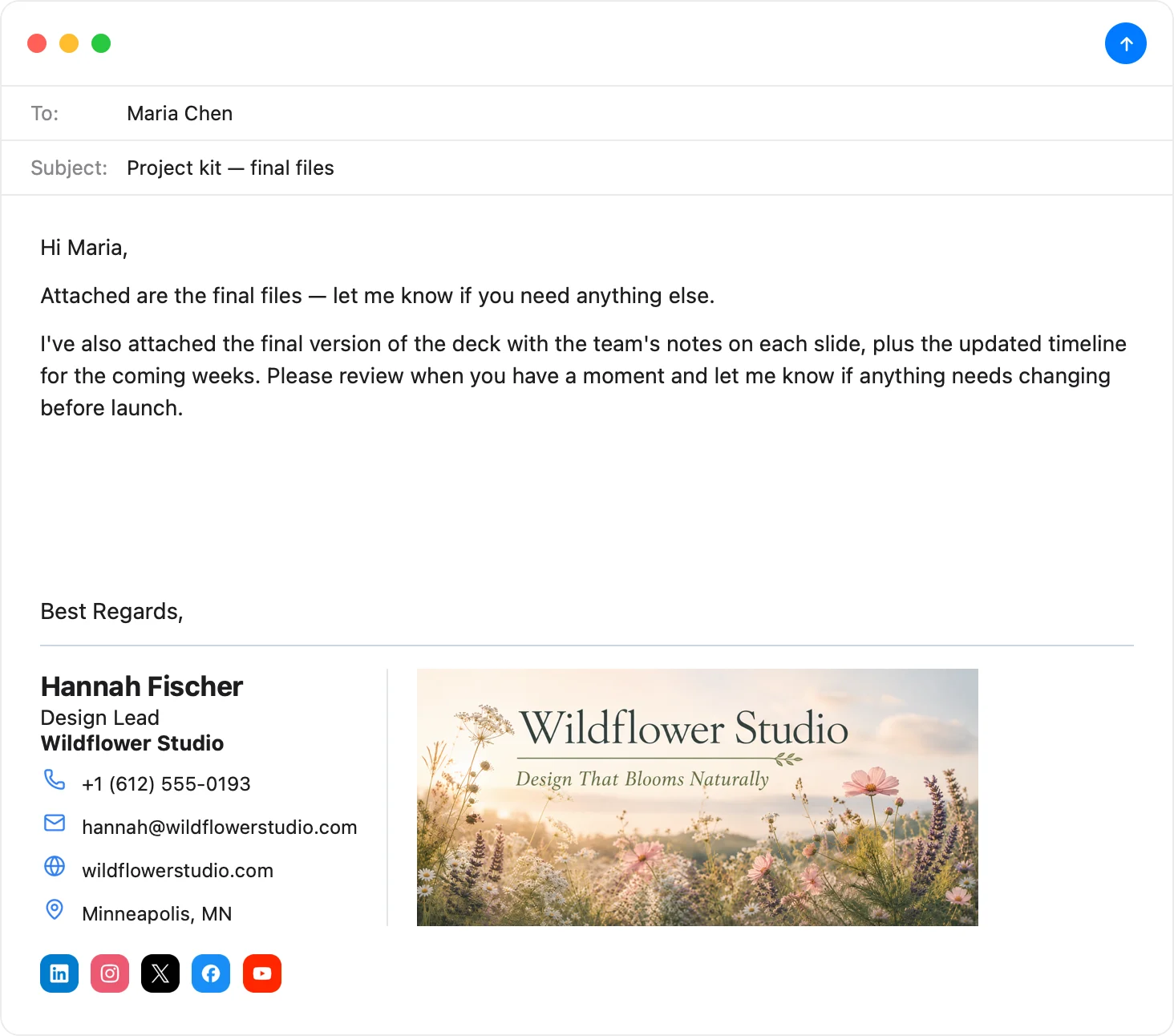
The banner slot is built in
Autograph's Promo banner template hosts, sizes, and links your banner — and swapping next month's campaign in is one click.
Download Autograph free See the templatesCommon questions
Do banners hurt deliverability?
A reasonably-sized hosted image doesn't meaningfully affect spam scoring. What hurts: huge files, link-shortener URLs, and image-only emails. Keep the banner <100KB and link directly.
Animated GIF banners?
They work in most clients but Outlook desktop shows only the first frame — design frame one to stand alone. And keep it subtle; it sits under every email including condolences.
How do I measure banner clicks?
Add UTM parameters to the banner link (?utm_source=email-signature) and read the results in your site analytics.
The Apple Mail Signature Fix Kit
A free checklist: why Apple Mail signatures vanish after macOS updates, the iCloud sync gotcha that wipes them, and how to make your images render in Gmail and Outlook. Straight to your inbox.